
Learn how Fortinet VPN connects users to private networks, what FortiClient does, and what to check before installing or troubleshooting.
Fortinet VPN refers to virtual private network technology used with Fortinet products to connect remote users to private network resources. For individual users, the connection is commonly made through FortiClient VPN, an application available for supported operating systems. Whether it will work for you depends on the VPN configuration and account access provided by your workplace, school, or other network administrator.
Compare FortiClient VPN and FortiGate by role and responsibility
| Comparison point | FortiClient VPN | FortiGate |
|---|---|---|
| Primary role | VPN client software | Network security appliance or service |
| Typical location | User’s computer or device | Organization’s network edge |
| Main user | Remote worker or device user | IT or network administrator |
| VPN function | Connects a device to a VPN | Can provide the VPN gateway |
| Connection setup | Uses settings supplied by an administrator | Configured by the organization |
| Access control | Follows the organization’s VPN configuration | Enforces network and VPN policies |
| Management | Installed and used on the endpoint | Managed by the organization |
| Works alone as a VPN service | No; needs a VPN gateway | Can act as the gateway |
Compiled November 2026; check the provider's site for current details.
| VPN | Obfuscation | From / month | Plan | Free plan | Refund | Alipay | UnionPay | Crypto | Website opens in China | Trustpilot | |
|---|---|---|---|---|---|---|---|---|---|---|---|
 ZoogVPN | Turn on manually Shadow | $2.49/mo | 27 months: $59.99 | Yes | 7 days | ✓ | ✓ | ✓ | ✓ | Official site blocked; our special link opens (4.4 s) | 4.2/5 (195 reviews) |
 NordVPN | Turn on manually Obfuscated Servers / NordWhisper | $3.49/mo | 27 months: $94.23 | No | 30 days | ? | ✗ | ✓ | ✓ | ✗ Blocked | 4.2/5 (51,628 reviews) |
 ExpressVPN | ✓ On by default all servers | $3.00/mo | 28 months: $84 | No | 30 days | ✗ | ✗ | ✓ | ✗ | ✗ Blocked | 4.4/5 (29,706 reviews) |
 Surfshark | ✓ On by default Camouflage, with OpenVPN | See site | See site | No | 30 days | ✗ | ✗ | ✗ | ✓ | ✗ Blocked | 4.3/5 (31,823 reviews) |
 Proton VPN | Turn on manually Stealth, free plan too | $2.99/mo | 12 months: $35.88 | Yes | 30 days | ✗ | ✗ | ✗ | ✓ | ✗ Blocked | 2.1/5 (1,040 reviews) |
 Astrill VPN | Turn on manually StealthVPN / OpenWeb | $12.50/mo | 24 months: $300 | No | See site | ✗ | ✗ | ✗ | ✓ | ✗ Blocked | 1.3/5 (110 reviews) |
 Private Internet Access | Turn on manually Shadowsocks, OpenVPN only | $2.03/mo | 40 months: $81.2 | No | 30 days | ✗ | ✗ | ✗ | ✗ | ✗ Blocked | 4.2/5 (11,033 reviews) |
 CyberGhost | Turn on manually selected servers | $2.19/mo | 28 months: $61.32 | No | 45 days | ✗ | ✗ | ✗ | ✓ | ✗ Blocked | 4.0/5 (24,178 reviews) |
 PureVPN | Turn on manually switch to OpenVPN | $1.69/mo | 60 months: $101.55 | No | 31 days | ? | ? | ✗ | ✓ | ✗ Blocked | 4.4/5 (17,994 reviews) |
 AdGuard VPN | ✓ On by default TrustTunnel | $2.99/mo | 24 months: $71.76 | Yes | 30 days | ✓ | ✗ | ✓ | ✓ | Official site blocked; our special link opens (3.7 s) | 4.3/5 (290 reviews) |
 Mullvad | Turn on manually QUIC / Shadowsocks / LWO | $5.61/mo | €5/mo | No | 14 days | ✗ | ✗ | ✗ | ✓ | ✗ Blocked | 3.2/5 (192 reviews) |
 Windscribe | Turn on manually Stealth / WStunnel | $5.75/mo | 12 months: $69 | Yes | See site | ✗ | ✗ | ✗ | ✓ | ✗ Blocked | 4.7/5 (13,355 reviews) |
 StrongVPN | Turn on manually Scramble, OpenVPN TCP | See site | See site | No | 30 days | ✓ | ✗ | ✗ | ✗ | ✗ Blocked | 4.4/5 (2,695 reviews) |
 LightXtreme 闪连 | Not listed | $7.08/mo | 12 months: $84.99 | Yes | 30 days | ✓ | ✓ | ✓ | ✓ | ✓ Yes (3.5 s) | No page |
Prices checked 2026-11-10 on each vendor's pricing page (cheapest long plan, USD). Check the vendor's checkout for the final price.
Obfuscation checked 2026-11-14 on each vendor's site and help center: "on by default" = nothing to set; "turn on manually" = switch protocol or mode in settings; "not listed" = the vendor describes no obfuscation.
Payment methods checked 2026-11-10 on each vendor's payment pages: all 14 take cards and PayPal; ✗ = not listed, ? = the vendor's own pages disagree.
China access: whether the official website opens from mainland China networks (tests the website only, not the VPN connection). Last checked 2026-11-18 01:02 Beijing time.
Trustpilot score and review count checked 2026-11-10.
What does Fortinet VPN do?
A VPN creates an encrypted connection between a user’s device and a private network. Once connected, authorized users can reach resources such as internal websites, applications, or shared systems as if they were accessing them from an approved network location.
Fortinet’s VPN documentation describes remote access as a way for users to connect to private computer networks securely. FortiGate devices can be configured to provide VPN services, while FortiClient is one option for connecting from a computer or mobile device.
A VPN does not automatically grant access to every network resource. Access depends on the organization’s configuration, your account permissions, and any additional security checks it requires.
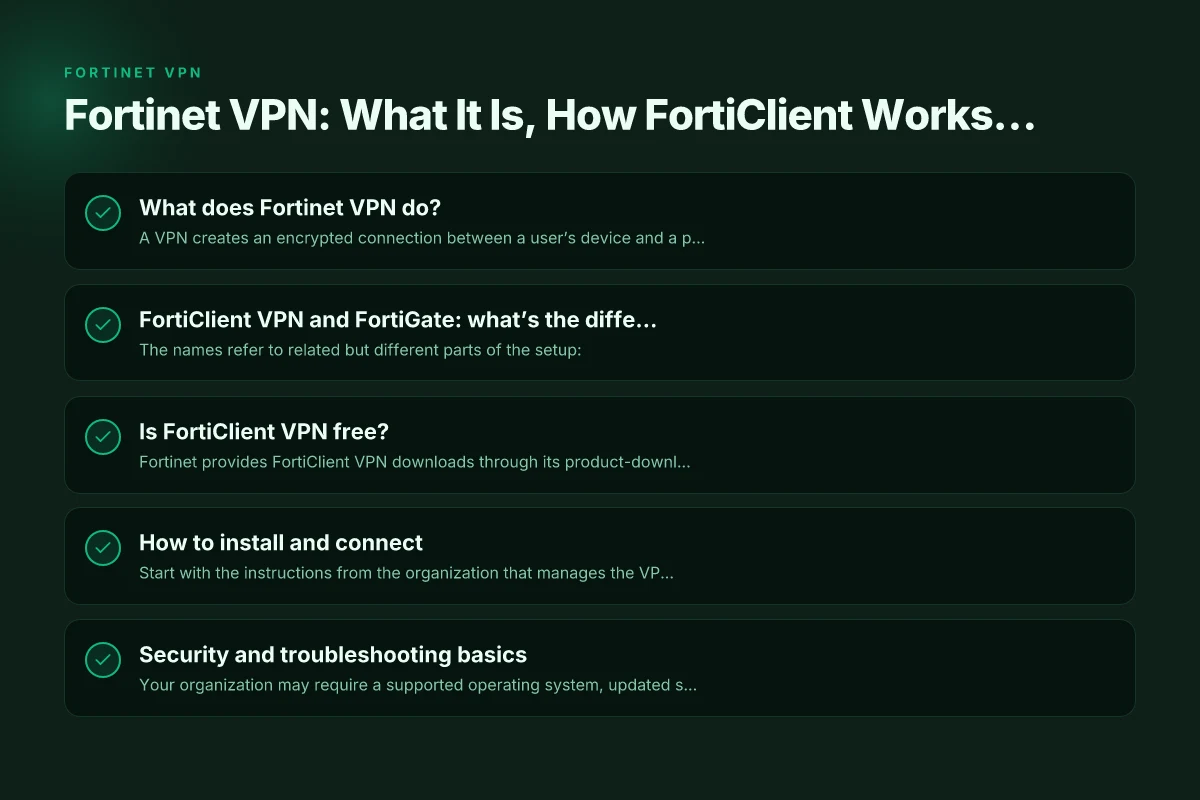
FortiClient VPN and FortiGate: what’s the difference?
The names refer to related but different parts of the setup: VPN Free Extension Edge: How to Choose One for Microsoft Edge
| Product or term | What it is | Typical role |
|---|---|---|
| FortiClient VPN | Client software for a user’s device | Starts a VPN connection using settings supplied by an administrator |
| FortiGate | A Fortinet network security appliance and platform | Can provide firewall and VPN functions for an organization |
| Fortinet VPN | A general description of VPN services using Fortinet products | Describes the overall remote-access connection |
In simple terms, FortiGate may provide the network-side VPN service, while FortiClient helps a user connect to it. FortiGate is not only a VPN. It is also a firewall platform.
Decide whether FortiClient VPN fits your use case
| Situation | FortiClient VPN fit | What you need | Who usually provides it | Next step |
|---|---|---|---|---|
| Remote access to a workplace network | Supported | Organization’s VPN gateway and connection details | Employer or IT team | Request setup instructions |
| Access to a FortiGate-protected network | Supported | FortiClient and configured FortiGate access | Network administrator | Confirm your account and settings |
| Personal browsing without an organization’s VPN | Not a standalone VPN service | A separate VPN service, if needed | VPN provider | Compare standalone VPN services |
| Connecting from a managed work device | Often supported | Approved client and device permissions | Employer or IT team | Follow workplace installation guidance |
| Connecting from a personal device | Depends on organization policy | Compatible device and approved access | Employer or IT team | Check personal-device rules |
| Need to configure the organization’s gateway | Not the right tool | FortiGate administration access | Network administrator | Use the organization’s management process |
Compiled November 2026; check the provider's site for current details.
Is FortiClient VPN free?
Fortinet provides FortiClient VPN downloads through its product-downloads page. The availability and features of the software can depend on the operating system and the version offered. Fortinet also lists free trials for select products, but a trial is not the same as a promise that every Fortinet product or feature is free. NordVPN Extension for Edge: How to Install and Use It
Even if the VPN client is available to download without charge, access to a private network is controlled separately. You may need an organization-issued account, a configured VPN gateway, and specific connection details. Check Fortinet’s download page and your organization’s guidance for current availability and requirements.
How to install and connect
Start with the instructions from the organization that manages the VPN. Institutions often provide a specific download link, setup guide, or configuration because their connection details and security policies can vary.
A typical setup looks like this:
- Confirm that your device and operating system are supported.
- Download FortiClient VPN from Fortinet’s official product-downloads page or from a link provided by your organization.
- Install the application, following the prompts for your device.
- Enter the connection information supplied by your administrator, such as the VPN server address and sign-in method.
- Connect and complete any required authentication steps.
- Test access to the internal resource you need.
Do not guess the server address or reuse settings from an unrelated organization. If you are connecting for work or school, use its current instructions and contact its help desk if details are missing. VPN Extension for Microsoft Edge: How to Choose and Use One
FortiClient VPN installation and troubleshooting checklist
| Step or issue | What to check | Where to get help | Typical next action |
|---|---|---|---|
| Before installation | Device compatibility and approved download source | Organization or official Fortinet source | Confirm the correct installer |
| Connection details | VPN address and required settings | IT or network administrator | Enter the supplied information |
| Account access | Username, password, and any required authentication | IT or identity support team | Verify access or request a reset |
| First connection | Internet access and correct VPN profile | IT or network administrator | Retry with the approved profile |
| Connection failure | Network access, profile, and error message | IT or network administrator | Share the exact error and time |
| Permission issue | Account authorization and device policy | Organization’s IT team | Ask whether access is enabled |
| Security prompt | Whether the prompt matches workplace instructions | IT or security team | Do not bypass an unexpected warning |
| Still not connecting | Current client version and organization guidance | IT or network administrator | Follow approved update or support steps |
Compiled November 2026; check the provider's site for current details.
Security and troubleshooting basics
Your organization may require a supported operating system, updated software, and additional authentication before allowing a connection. Some institutional instructions, for example, specify that the device must not be running an end-of-life operating system. Follow the rules set by your network administrator rather than relying on a generic setup guide.
If the connection fails, check these points first: Free VPN for Edge Extension: What to Choose and How to Use It
- Make sure your device has a working internet connection.
- Confirm that you are using the correct VPN profile and server details.
- Check your username, password, and any required multi-factor authentication.
- Install updates or use the client version recommended by your organization.
- Restart the application and try again.
- Contact your organization’s IT support if the error continues.
VPN reliability can depend on factors such as the network connection, device setup, and the organization’s VPN configuration. Online user reports may describe individual experiences, but they do not establish how the service will perform in every environment.
Recommendation
For personal use of a work or school network, begin with that organization’s official FortiClient VPN instructions. Download the client from a trusted source, confirm your device meets its requirements, and ask the administrator for the correct connection settings. For general information about VPN concepts and Fortinet options, consult Fortinet’s VPN resources and product documentation.